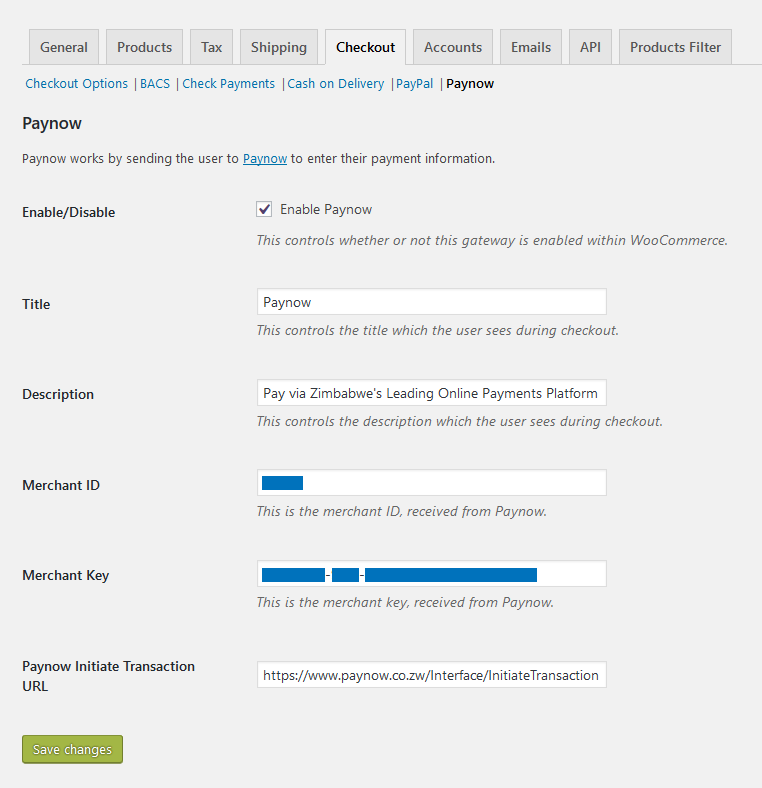
Once installed and activated, navigate to the WooCommerce settings page via WooCommerce > Settings and then to the Checkout tab.
Here you will find Paynow listed as one of the Chekout Options. Click on it to open its settings page.
On the Paynow settings page click the checkbox to enable the gateway and enter your Integration ID and Integration Key into the Merchant ID and Merchant Key input fields respectively.
Click Save Changes and do a test checkout from the frontend of you site.